┌─ terminal key row
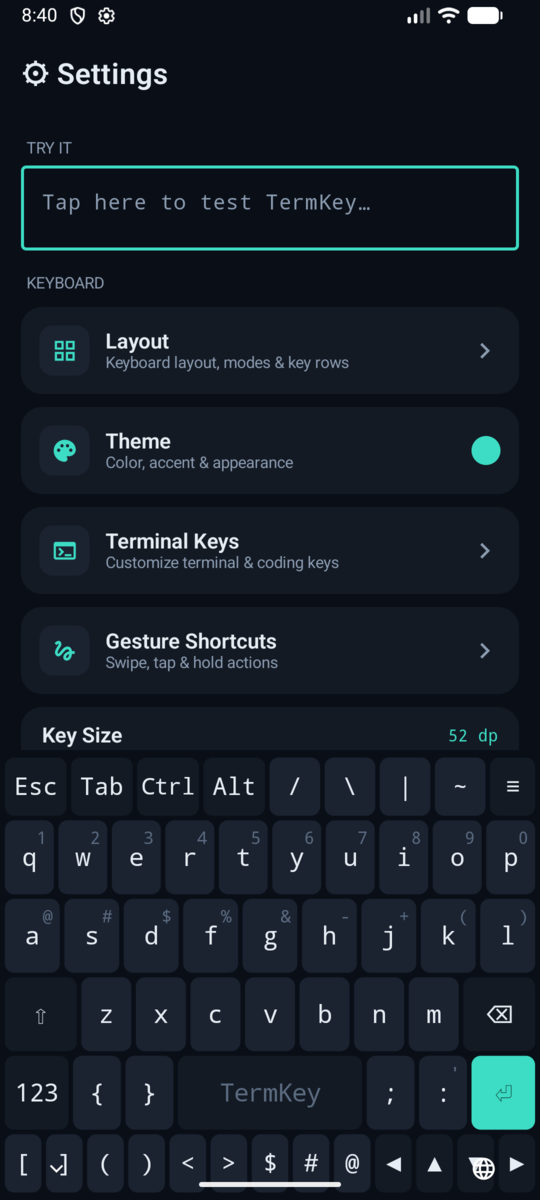
Esc · Tab · Ctrl · Alt plus four configurable symbol keys live above QWERTY. cd ~/ | grep without a single layer switch.
// android ime · v2.1.0 · free · 100% on-device
A software keyboard built for Termux, SSH clients and anyone who types code on a phone. Esc, Tab, Ctrl, Alt, arrows, F-keys and a macro system are first-class keys — not buried three layers deep.
⏚ free — swipe typing $9.79 once, no subscription, no ads · ⏚ no network permission · ⏚ no telemetry
↓ this keyboard is live — type on it, try Ctrl then c
Esc · Tab · Ctrl · Alt plus four configurable symbol keys live above QWERTY. cd ~/ | grep without a single layer switch.
Ctrl, Alt and Shift latch for the next key (tap) or lock (tap twice) — and send proper hardware-style key events, so Termux sees a real ^C, not a unicode lookalike.
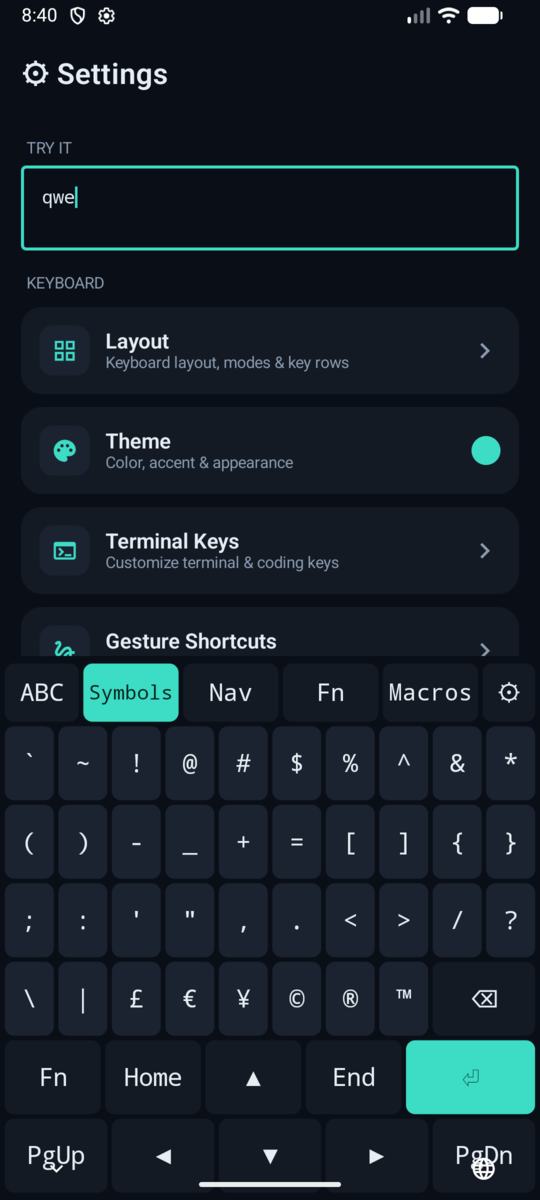
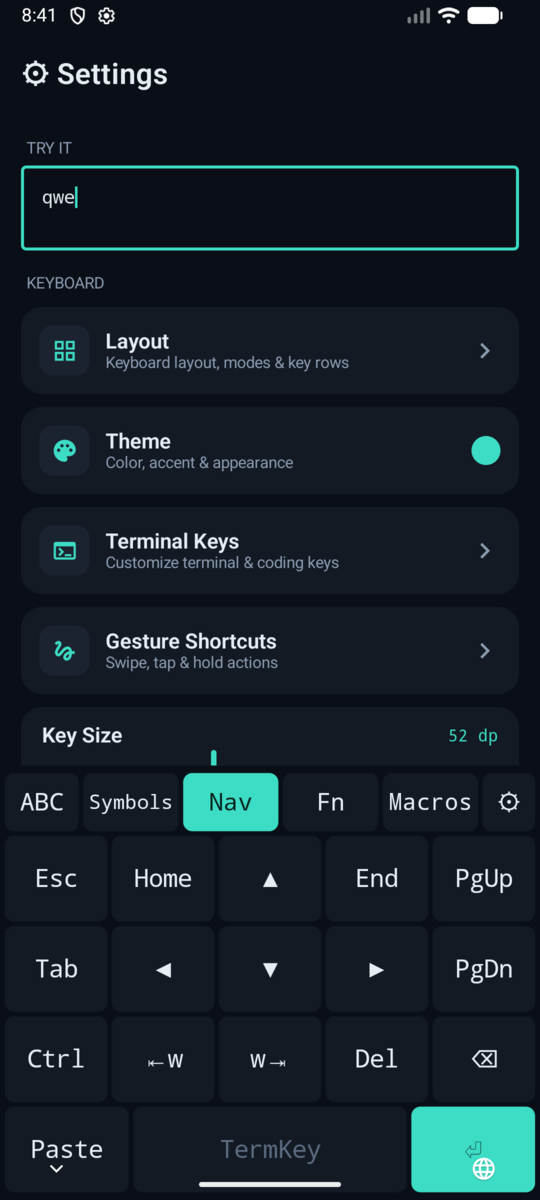
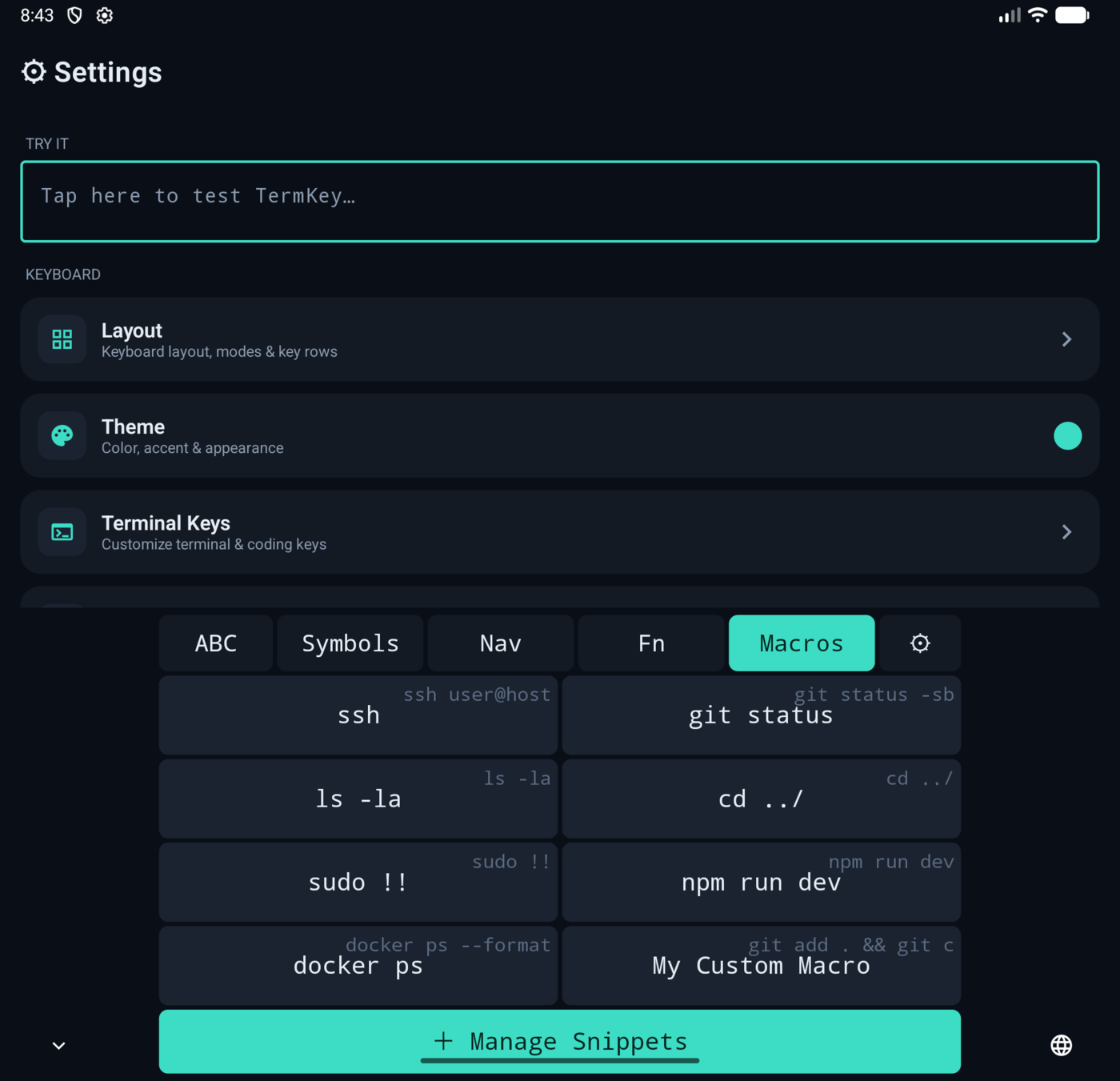
Main, Symbols, Nav (arrows, Home/End, PgUp/PgDn, word-jump), Fn (F1–F12) and Macros. All one tap away — try the ≡ key in the demo above.
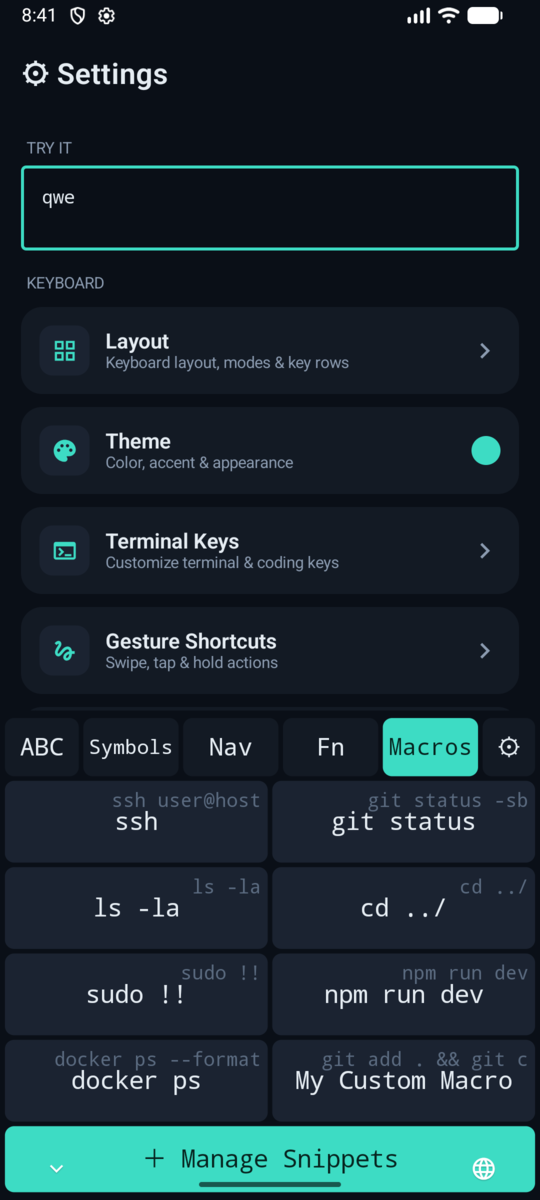
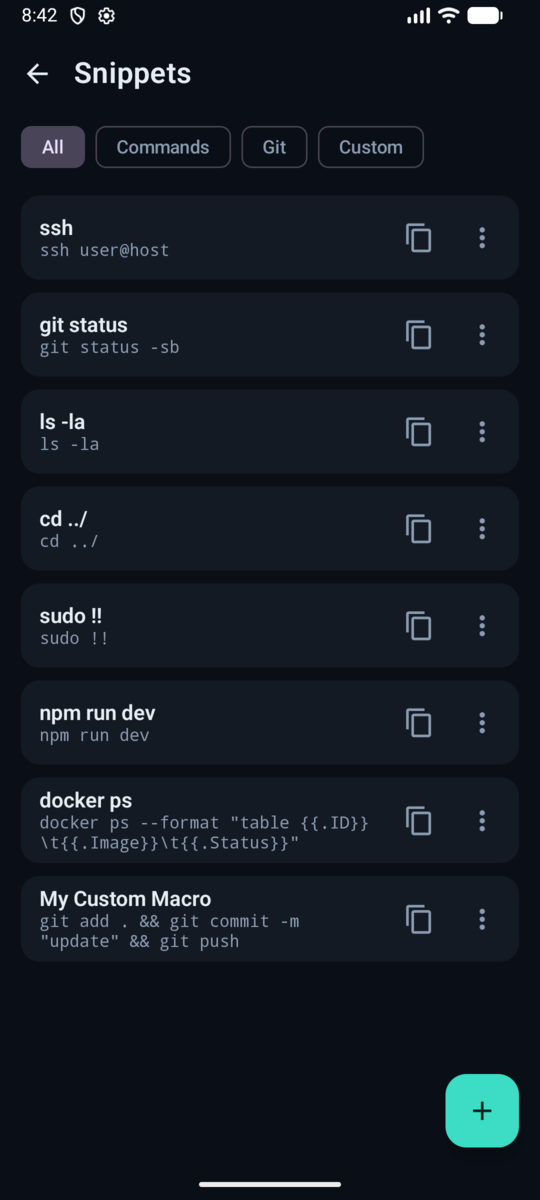
Built-in shell & git commands plus your own macros, managed in-app and inserted with one tap from the Macros layer. git add . && git commit is a key now.
Slide on the space bar to move the cursor. Hold backspace or arrows to repeat. Long-press any key to type its hint character.
Remembers what you copy while typing; pin what matters. Paste that gnarly one-liner from twenty minutes ago.
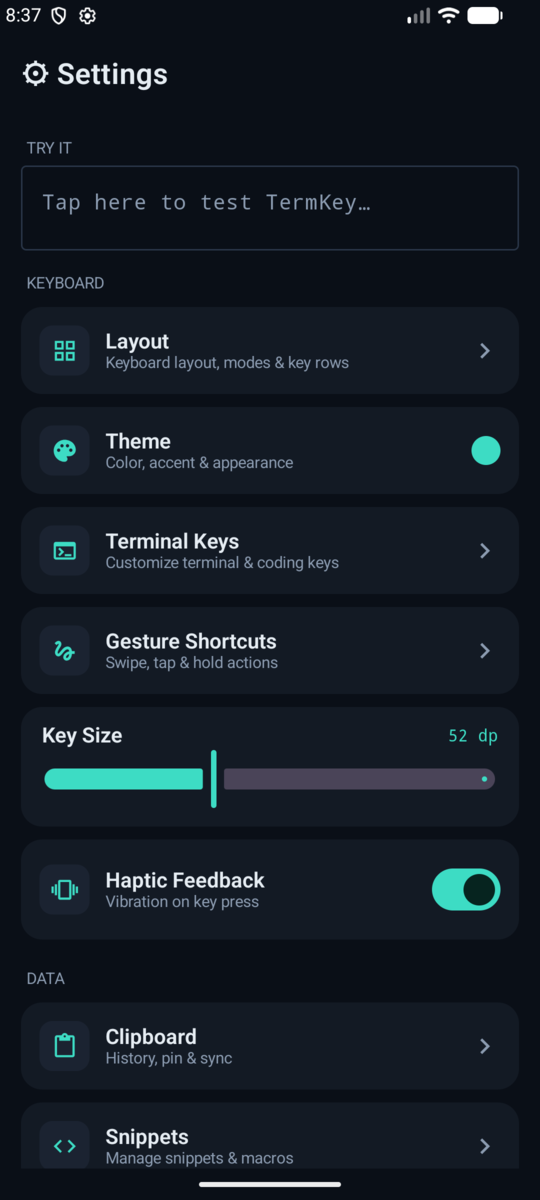
Near-black blue, monospace key labels, five accent colors, optional key borders. The dots in the top bar of this page are the real palette.
The app requests no network permission. No telemetry, no cloud, no "improve your experience". Your keystrokes are nobody's business.
Ctrl + c on something. Feel the power.adb shell ime enable com.circlepartnersgroup.termkey/.ime.TermKeyImeService adb shell ime set com.circlepartnersgroup.termkey/.ime.TermKeyImeService
Requires Android 8.0+. TermKey is free. Swipe Typing is an optional $9.79 in-app unlock — one time, no subscription, no ads, free updates.